MS Scripts: 127 PowerShell scripts for Microsoft 365 and Azure, explained in Spanish

Aitor García · 6 min read
Also in Spanish
I built MS Scripts because nearly all Microsoft PowerShell material is in English. What it includes, how it helps admins and CISOs, and what it still lacks.
Leadership summaryIf this is all you read.
The risk. A misunderstood script with permissions nobody reviewed can expose data or change the tenant. When the documentation exists only in English, that review is harder for anyone who doesn't read technical English comfortably.
The impact. 92 of the 127 scripts only read and change nothing: they show who holds privileges, who lacks MFA and what evidence exists, without touching configuration.
The decision. Ask your team for a first read-only report in a test tenant and decide who approves scripts that make changes.
Licensing. Depends on the script: each page states the license and whether Microsoft 365 Business Premium covers it
Required roles. Depends on the script: each page states the minimum role and the permissions
For the people rolling it out ↓
On this page
If you manage Microsoft 365 and need a script to find accounts without MFA, you will most likely find it in English: the code, the comments, the explanation of the permissions and the warnings.
For many people that’s no problem. For others, it means running something they didn’t fully understand under a privileged role, or never running it at all.
That’s why I built MS Scripts: a free library of PowerShell scripts for Microsoft 365 and Azure, with every script page in Spanish. It needs no sign-up and states plainly what each script does, which permissions it asks for and how a company in Mexico would use it.
What exists in Spanish today
There’s plenty of material in English, and much of it is excellent. PnP Script Samples is the reference community gallery, Office365itpros is a broad collection and Ugur Koc’s IntuneAutomation is very solid for Intune. Microsoft’s Intune samples, on the other hand, are now read-only.
Searching in Spanish yields far less. Some projects do turn up, such as alexsf93’s Intune library, with Spanish documentation and an MIT license, but it focuses on Intune and devices. I didn’t find a Spanish library that brought together Intune, Entra, Defender, Purview and Azure.
This isn’t a census: I’m sure I’ve missed blogs, gists and repositories. If you know of one, write to me and I’ll take a look. But the gap compared with English is huge, and that gap is what the portal responds to.
What MS Scripts includes
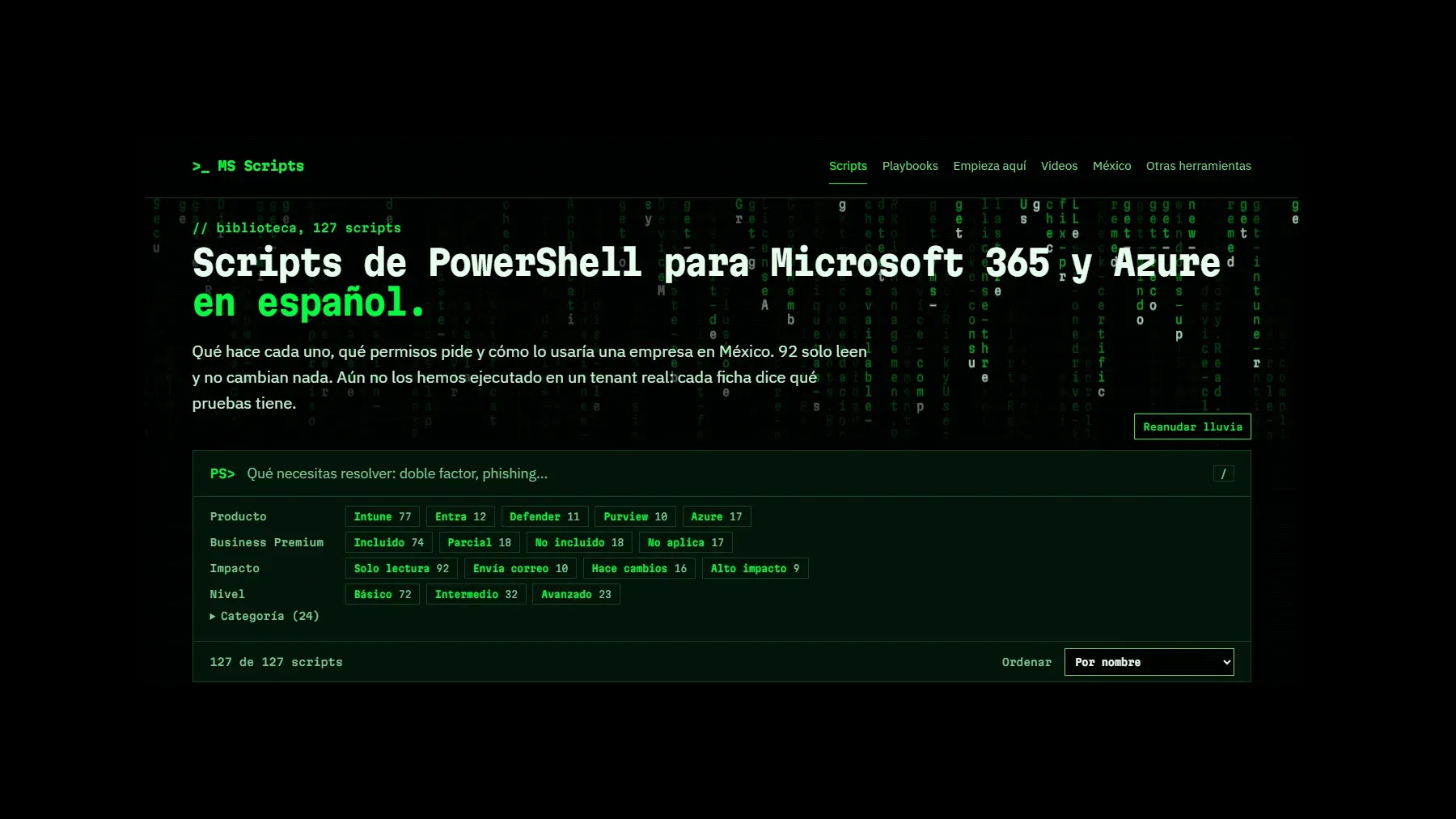
There are 127 scripts, broken down like this:
- By product: Intune 77, Azure 17, Entra 12, Defender 11 and Purview 10.
- By impact: 92 read-only, 10 that send email, 16 that make changes and 9 high-impact.
- By level: 72 basic, 32 intermediate and 23 advanced.
It also has six playbooks, a guide to running your first script, step-by-step videos and a page on personal data in Mexico.
The split comes from where the code originated. I search the web for the best scripts that already exist and, when one earns its place, I include it with credit. That’s how the 77 Intune scripts got here, all from Ugur Koc’s IntuneAutomation: they’re unmodified copies under the MIT license, and I wrote their pages in Spanish. Without his work, the portal would be a good deal smaller.
The other 50, for Entra, Defender, Purview and Azure, are mine: I wrote them based on what I review in my audit work, under the MIT license and with their messages in Spanish. I’m still creating more and will keep adding them to the portal.
Start with the risk, not the code
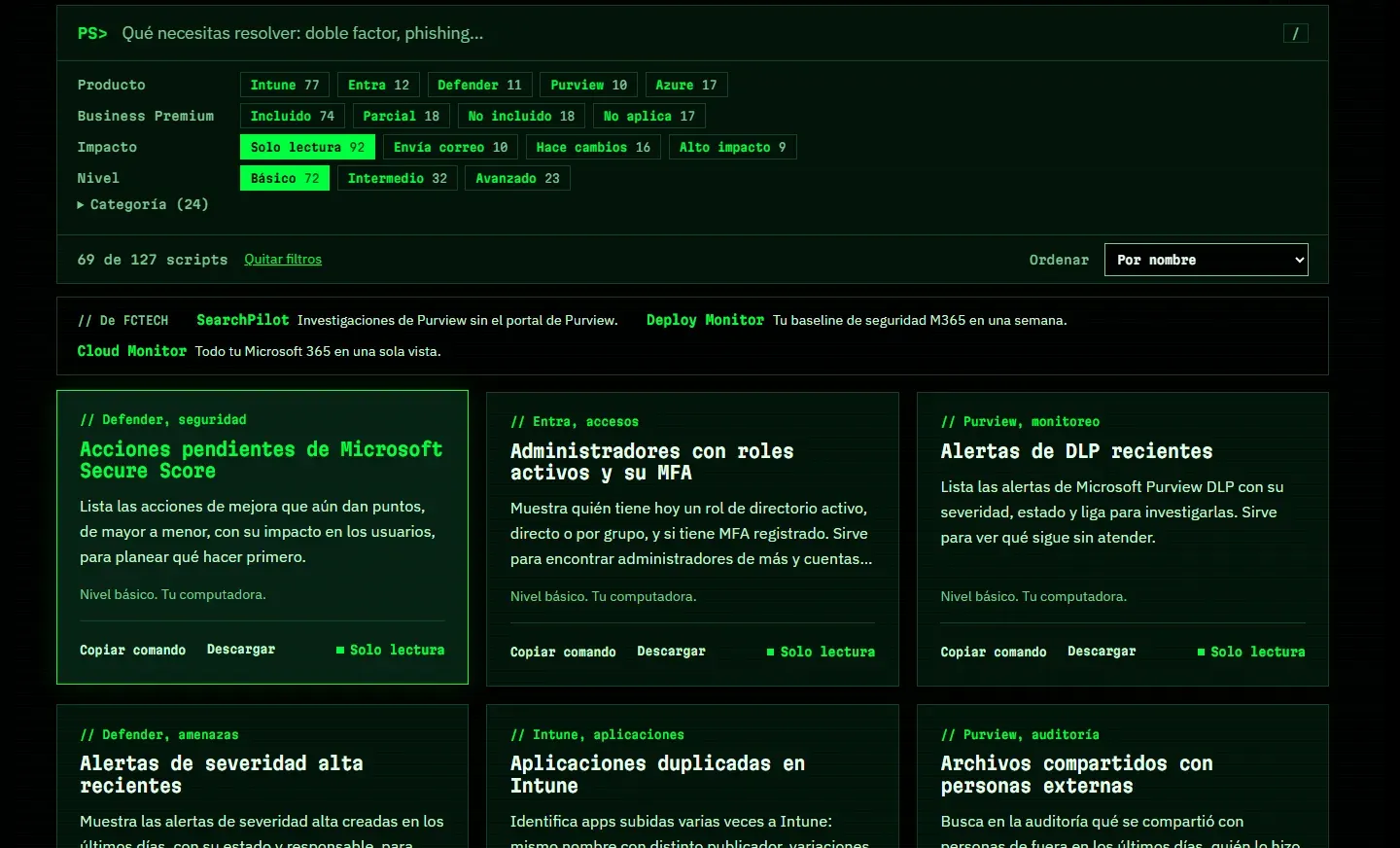
The first thing I ask of a script is what it can break. So the filters go beyond product: they also cover impact, level, category and whether Business Premium includes the license.
With Solo lectura (read-only) and Básico (basic) selected, 69 scripts remain that you can review without changing anything in the tenant.
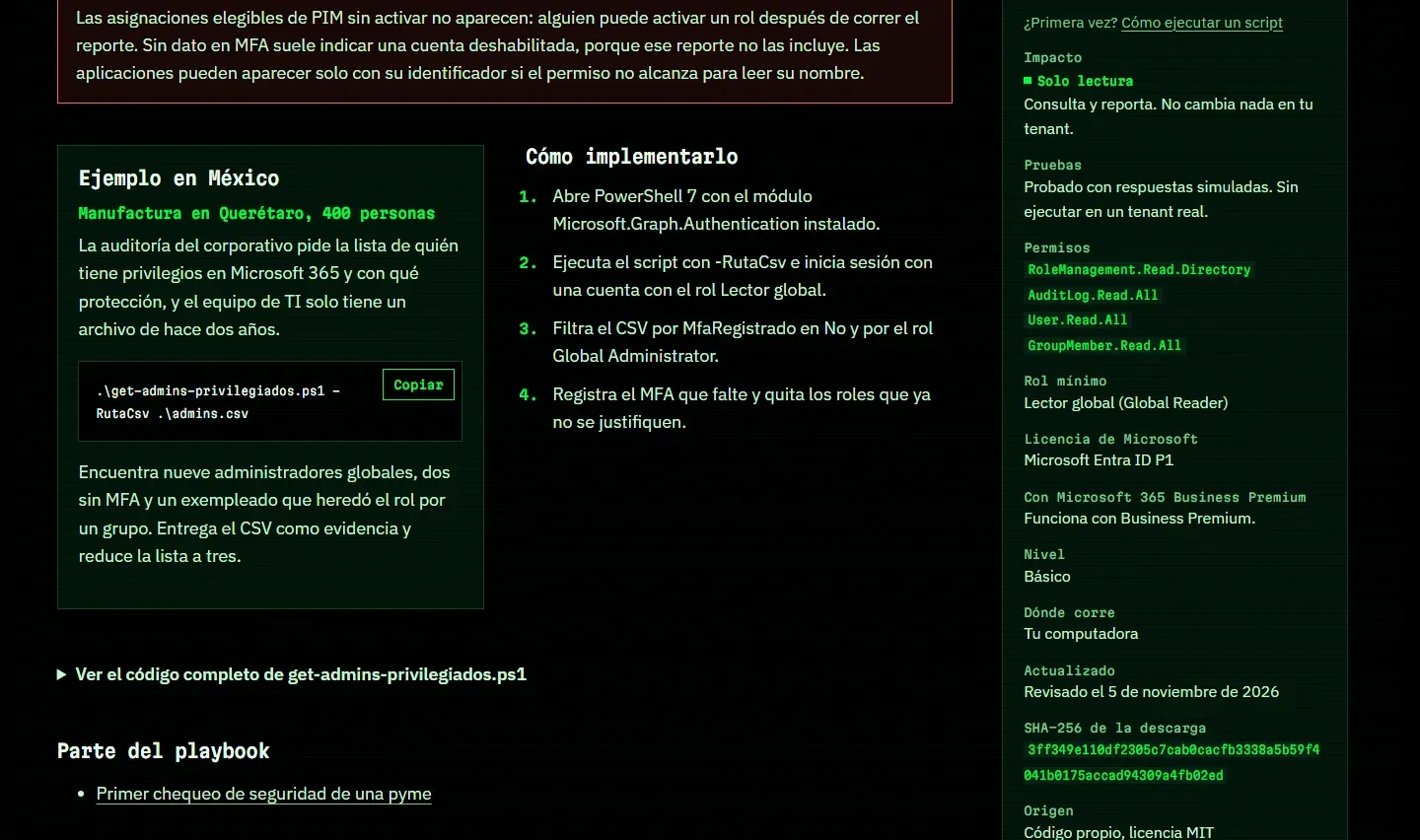
A page to help you decide whether to run it
Each page answers what you should know before you press Enter: what limitations the script has, which Microsoft Graph permissions it asks for, what minimum role it needs, which license it requires and how it was tested. It also publishes the download’s SHA-256 hash, so you can confirm the file is the same, and shows the full code.
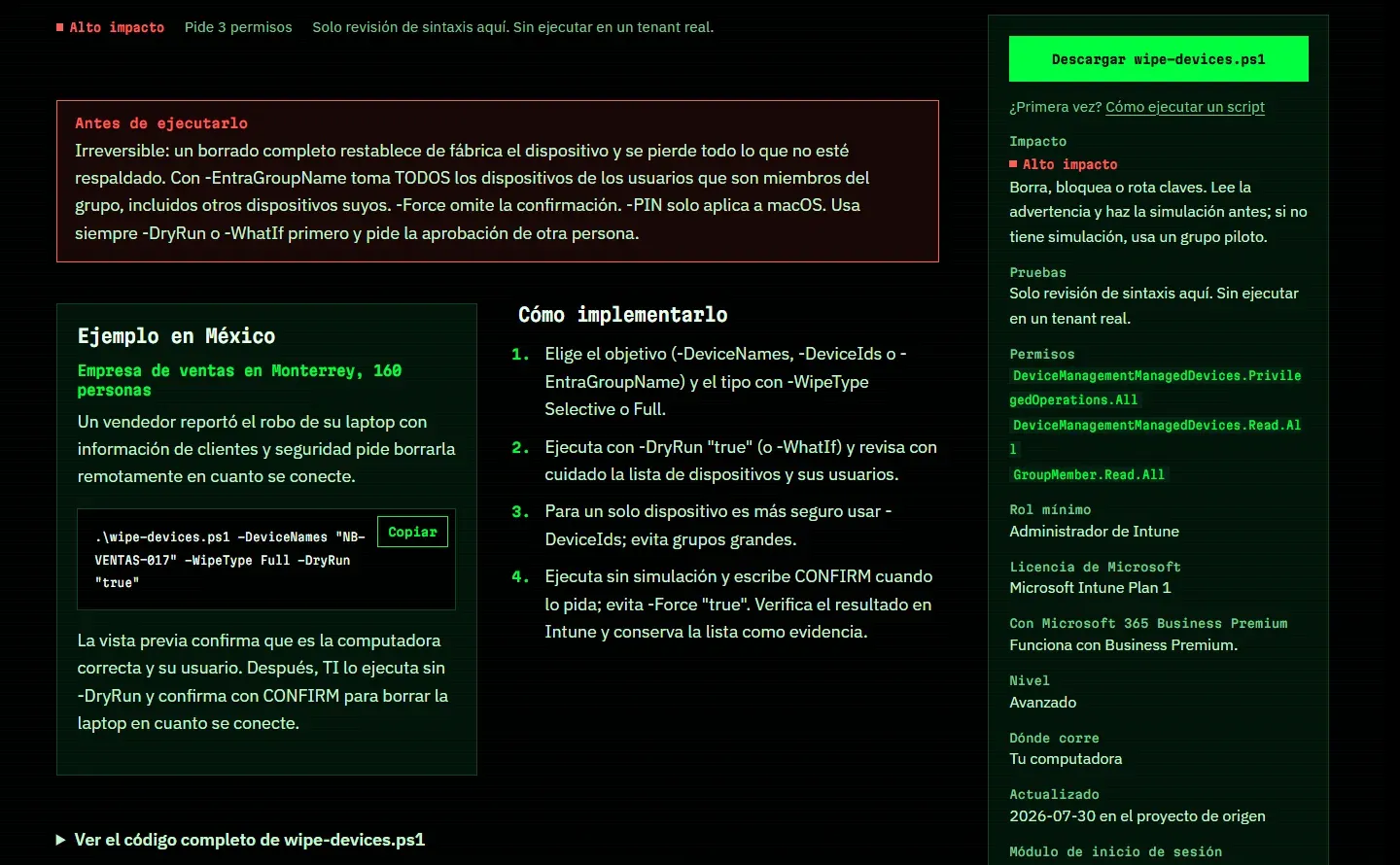
High-impact scripts put their warning up front. For remote wipe, for example, the page warns that it’s irreversible, that -EntraGroupName takes every device of the group’s members, and that you should simulate first and get a second person’s approval.
If you’re a CISO: from the question to the evidence
Leadership doesn’t care about a script. It cares about the answer to a question: who holds privileges, what gets logged, what data leaves the organization.
The Mexico page starts right there. It maps typical audit questions to the scripts that produce the evidence, and it’s based on Mexico’s current federal personal data law, published on March 20, 2025.
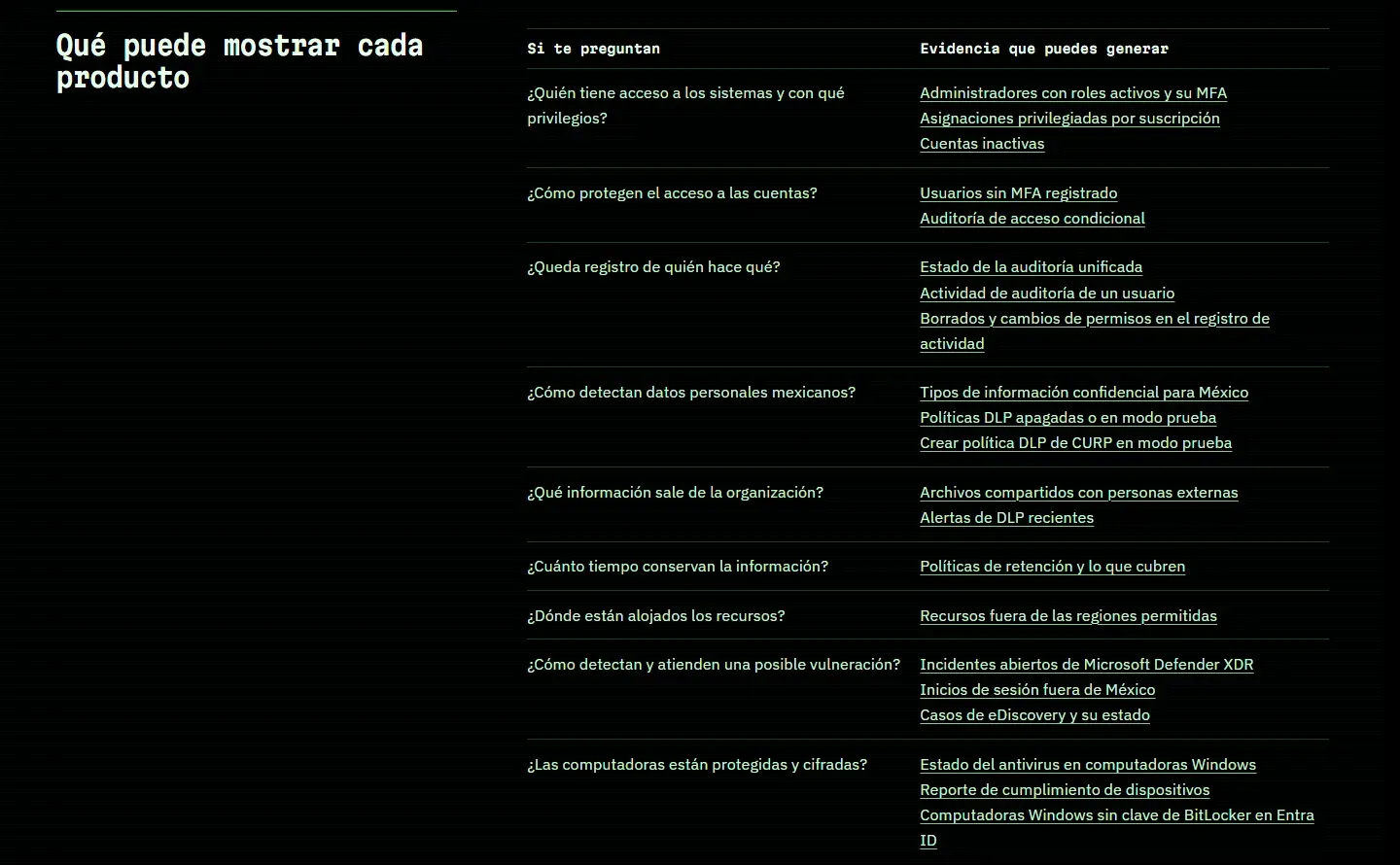
A script produces evidence, but it doesn’t prove compliance: that’s for your legal team to determine, and the portal says so. It also points out something worth knowing before you plan DLP: in Purview’s list of built-in types, the only one specific to Mexico is the CURP. For RFC, INE or CLABE numbers you’ll need custom types.
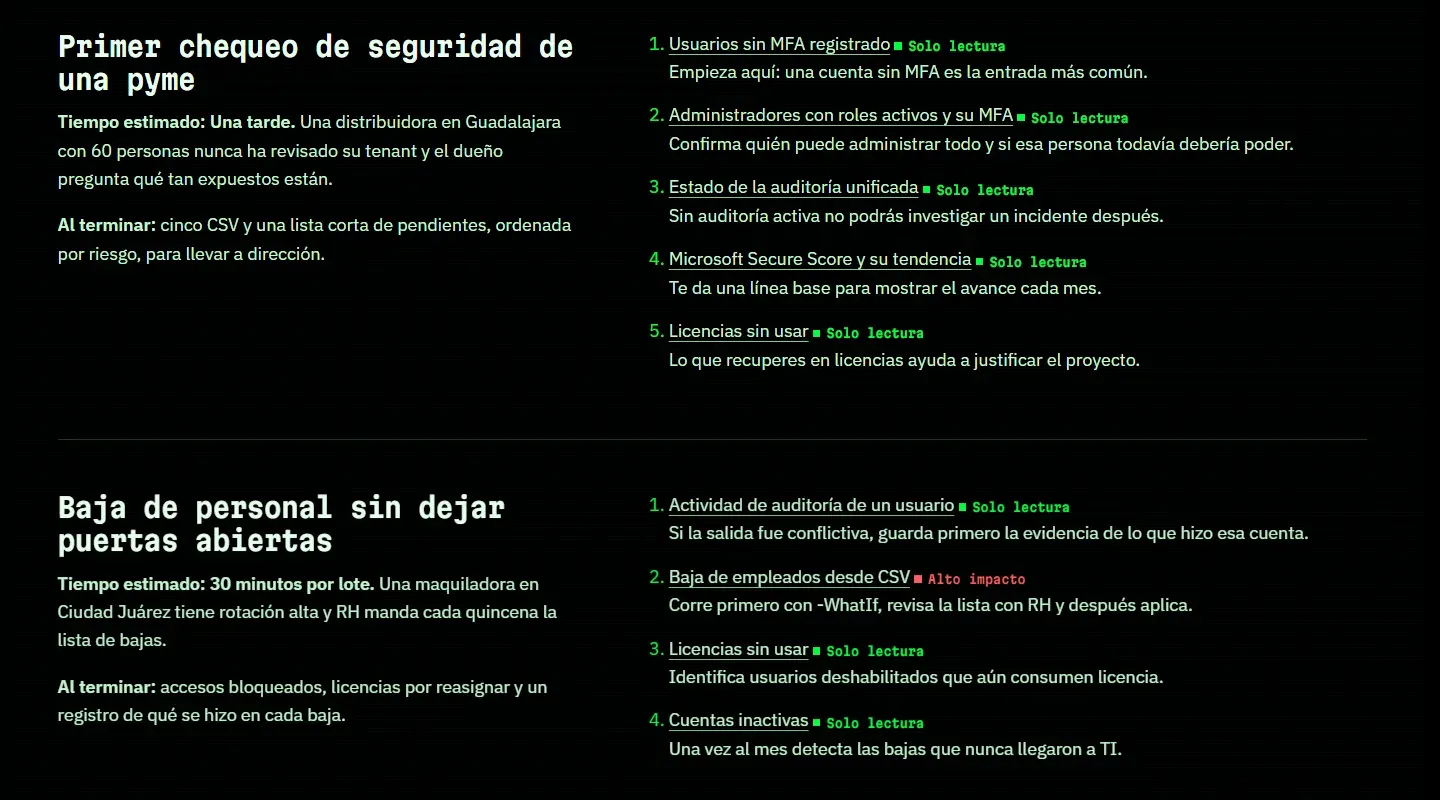
The playbooks put several scripts in order to solve a complete problem. The first check for a small business chains five read-only reports and ends with five CSV files and a short to-do list to take to leadership.
If you run the tenant: your first report
The Empieza aquí (start here) guide estimates about 15 minutes for the first report, using PowerShell 7. This one uses Usuarios sin MFA registrado (users without registered MFA), which requires Microsoft Entra ID P1. If you don’t have it, the guide suggests starting with the unused licenses report.
winget install --id Microsoft.PowerShell --source winget

# Close the terminal, open pwsh and download the script from its page
Install-Module Microsoft.Graph.Authentication -Scope CurrentUser
cd $HOME\Downloads

# Compare the hash with the one on the page. If it doesn't match, don't run it
Get-FileHash .\get-usuarios-sin-mfa.ps1 -Algorithm SHA256

Unblock-File .\get-usuarios-sin-mfa.ps1
Set-ExecutionPolicy -Scope Process -ExecutionPolicy RemoteSigned
.\get-usuarios-sin-mfa.ps1 -RutaCsv .\sin-mfa.csv
Read the script before you run it and review the permissions before you accept them: those you grant to the Microsoft Graph PowerShell app stay approved until you remove them. And treat the CSV as personal data, because it can include names and email addresses.
What it isn’t yet
I’d rather you read this here than find out in production.
There are other limits to keep in mind:
- The Intune scripts remain in English. The page is in Spanish, but the script’s messages aren’t. Many also use the community module
MgGraphCommunity, by the same author; if your policy doesn’t allow community modules, check it with your security team. - Microsoft doesn’t endorse it. Neither does the IntuneAutomation project.
- It also promotes FCTECH. I founded the company, and the portal shows its products labeled «De FCTECH». Keep that in mind when you read what I recommend.
- The examples are fictional. The companies on the script pages and in the playbooks illustrate usage; they aren’t real cases.
- It doesn’t take contributions through a repository yet. For now, the original scripts are downloaded and reviewed on the portal, with no public repository linked.
How you can help
If you have a test tenant, your help is what the project needs most: run a read-only script and tell me what happened. An error, a confusing page or an excessive permission is as useful to me as a “it worked”. Write to contacto@msscripts.dev, for security reports too.
And if you think a script is missing, tell me what problem you’re trying to solve. The goal is for people who manage a tenant in Spanish to understand what they run before they run it.